Time: ~5 min. Need: at least a month of categorised spending, plus — for the invest-vs-debt run — one loan with an interest rate set.
By the end of this you will have stress-tested a real what-if — a leaner month, the unused subscriptions gone, the extra €500 going to the mortgage instead of the index fund — and read the answer the way WealthSense lays it out: your current path next to the alternative, with the cost or the saving in between.
WealthSense doesn't bury this behind one big scenarios screen. Each what-if lives where its data already is — three focused simulators, each with a sharper question:
- Lean burn-rate — if I ran a leaner month, how long would my savings last? It lives on the Spending page.
- Subscription pruning — what do I get back if I cancel the ones I never use? It lives on the Subscriptions page.
- Invest vs debt — is the extra cash worth more in the market or against the loan? It lives on the Invest vs Debt page.
Steps
-
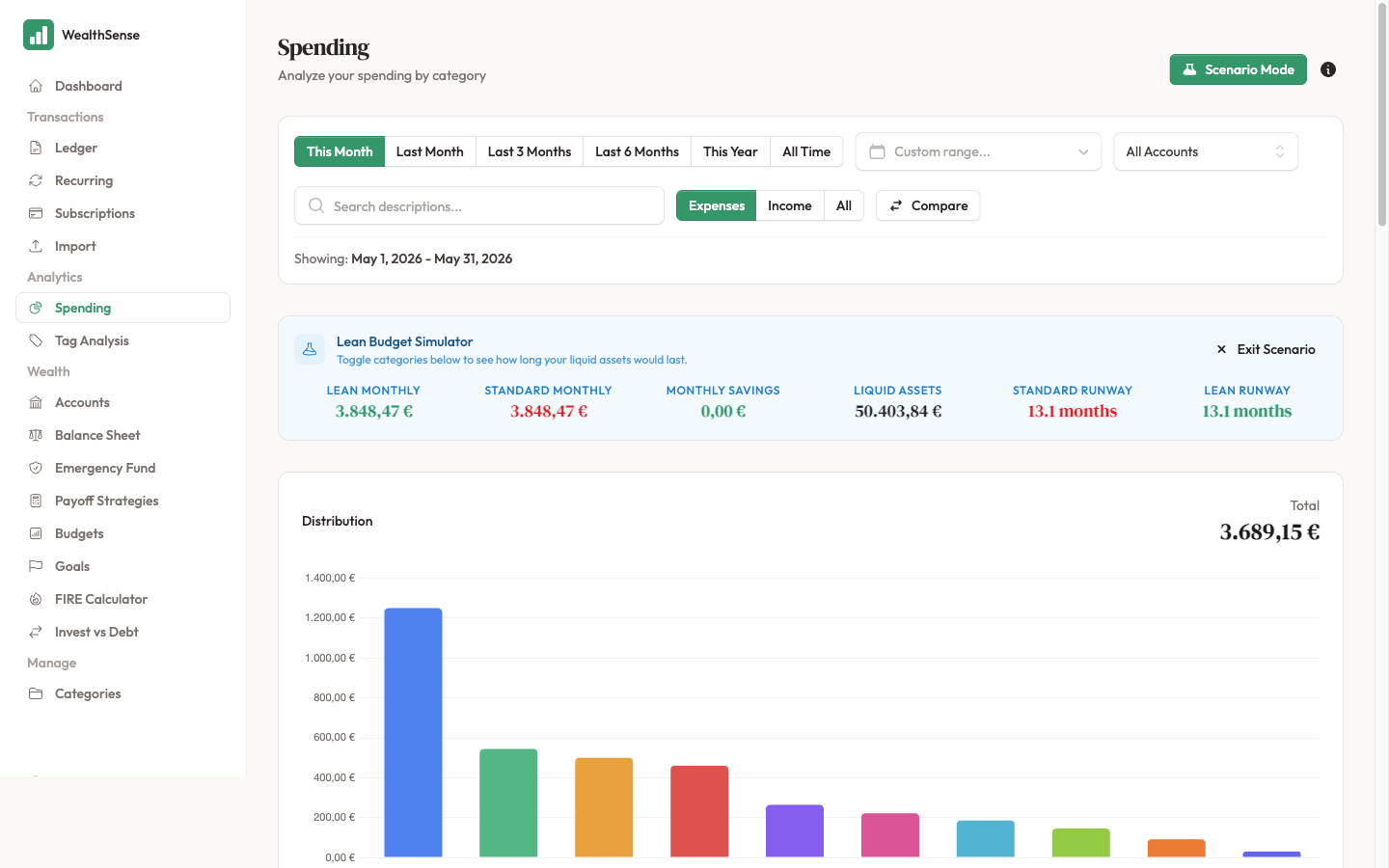
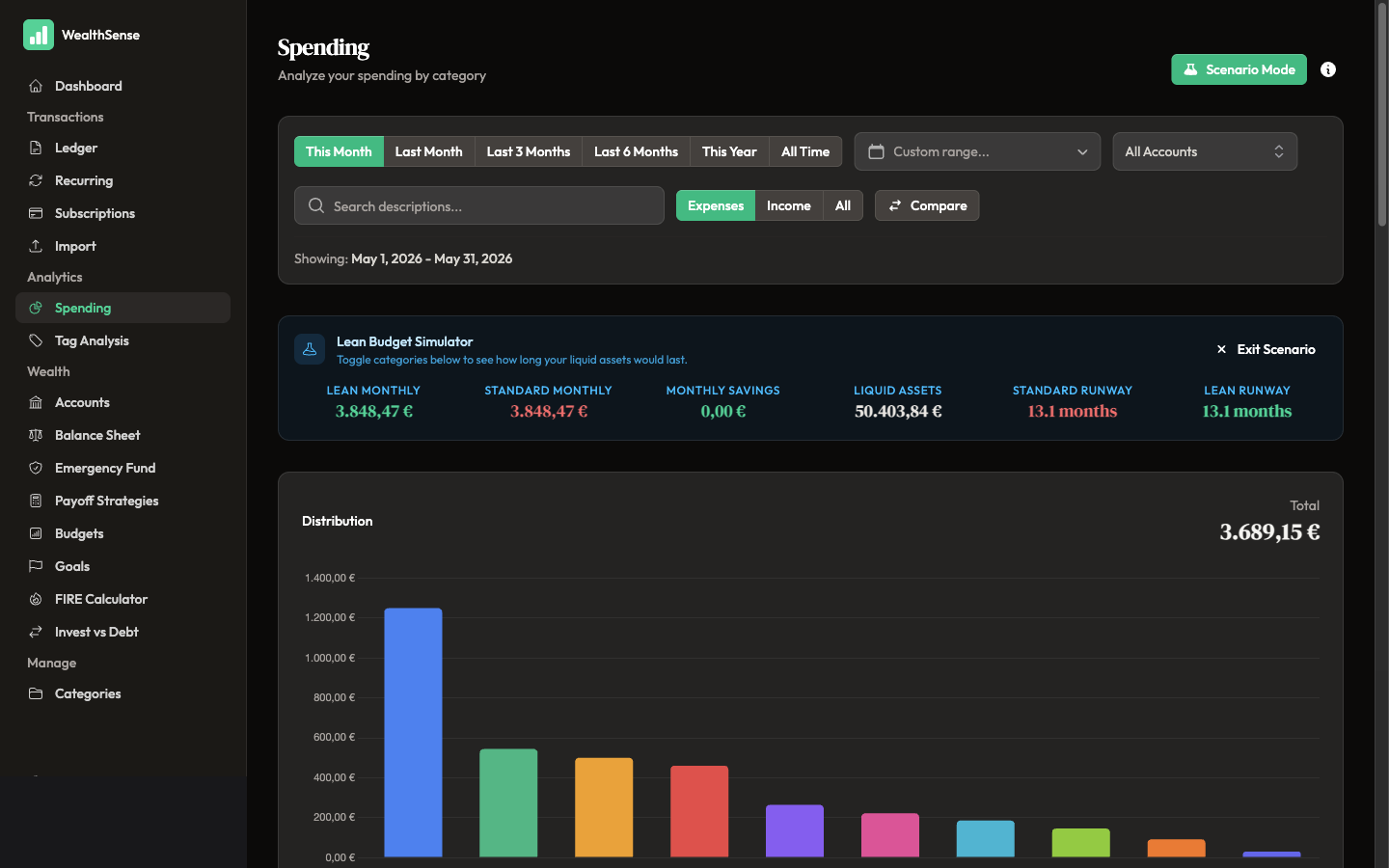
Run the lean burn-rate scenario. Open Spending and click Scenario Mode. The Lean Budget Simulator appears: toggle categories off to model a leaner month, then read your lean monthly spend against your standard monthly spend — and how many months your liquid assets would last under each, your runway. Click Exit Scenario when you're done; nothing you toggle changes your real data.
-
Prune your subscriptions. Open Subscriptions and click Simulate Pruning. Every recurring expense is grouped by category with its monthly and annual cost. Mark the ones you'd cancel and watch the totals fall — the money you'd get back is the scenario's answer.
-
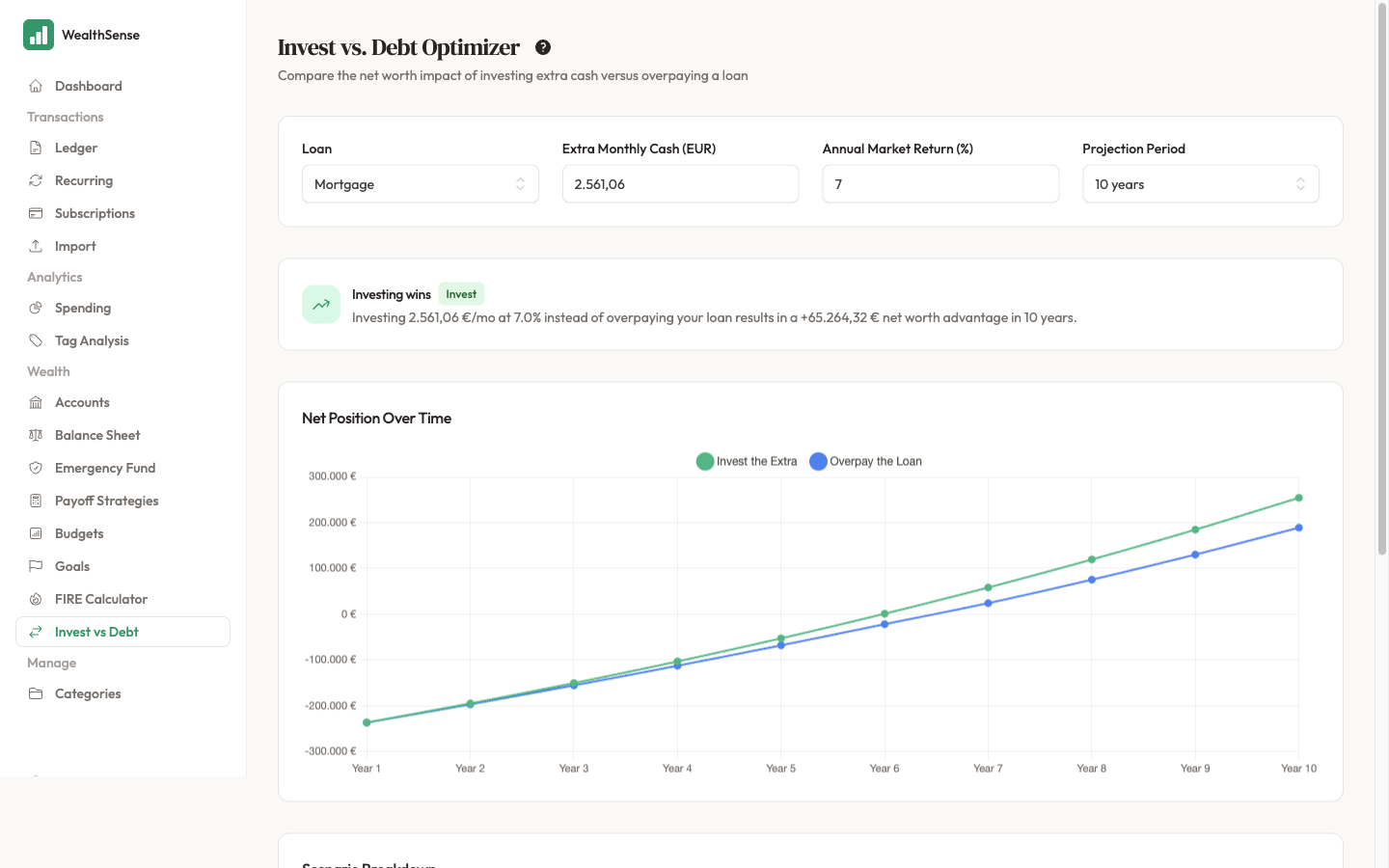
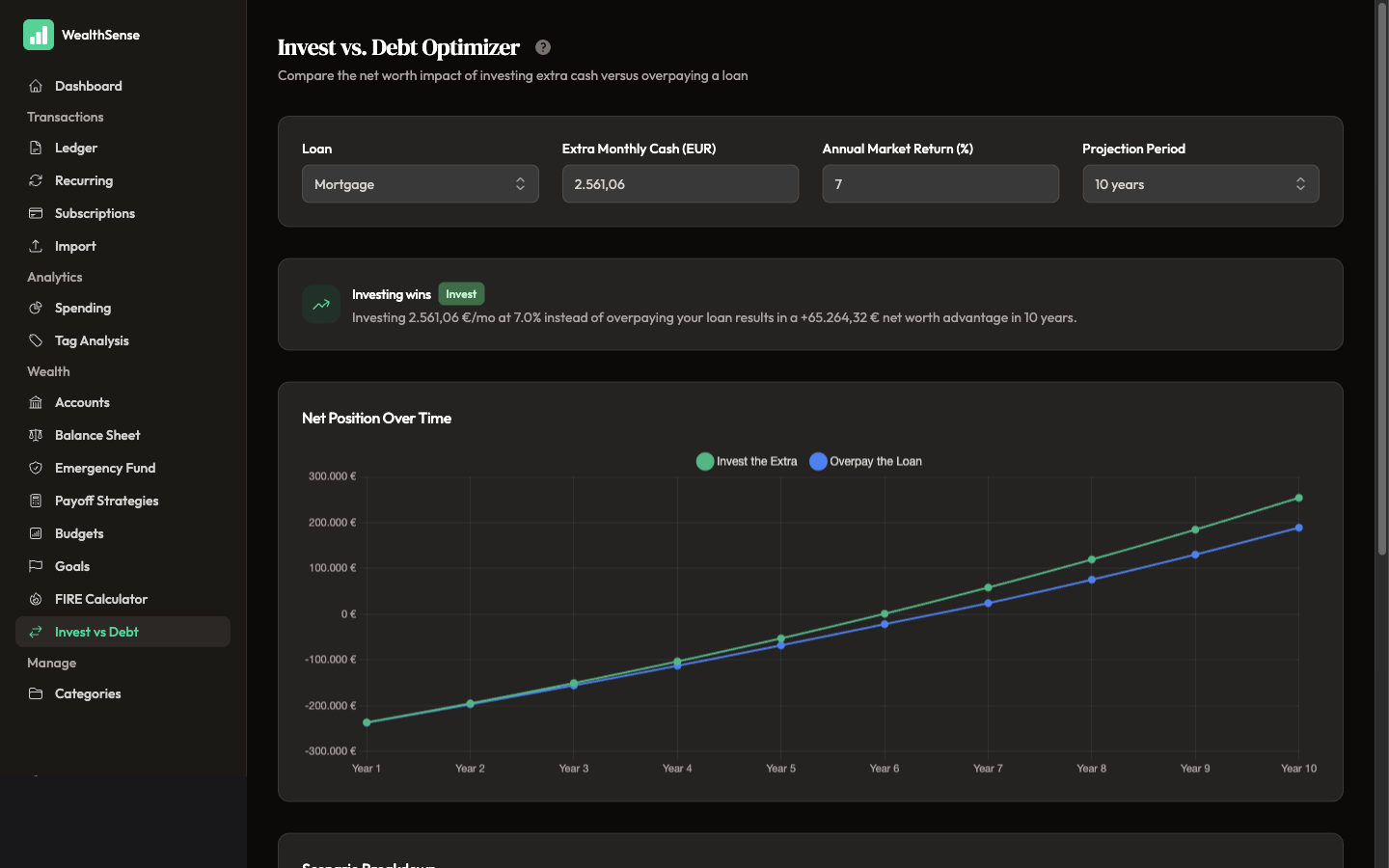
Run the invest-vs-debt optimiser. Open Invest vs Debt, pick the loan, and enter the extra cash you could put toward it each month. The page projects two paths and names the winner.
-
Read the side-by-side. The optimiser plots Invest the Extra against Overpay the Loan across your projection window and calls it — "Investing wins: a +€65.264 net-worth advantage in 10 years", or the reverse when the loan's rate beats your market-return assumption. The gap between the two lines is the decision; everything else is detail.
-
Change one input at a time. Drop the market-return assumption, raise the extra payment, toggle one more category off. Moving two at once hides which one drove the result. None of it touches your real accounts — these are sandboxes, not edits.
You're done when…
You have run at least one of the three simulators, you can name the single number it moved — months of runway, euros back per year, or net-worth advantage — and you have either made a decision because of it or know exactly which input you'd change to flip the answer.
See also
- The baseline most readers stress-test — Plan your FIRE date
- Optimise a single decision — Choose a debt payoff strategy
- Build the budget the scenarios stress-test — Build a budget you'll actually use